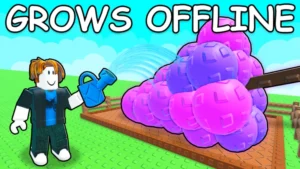
Dominate your farming progression with the Khangdz28 Automation Hub for Grow a Garden 2. This high-performance script eliminates the manual hassle of watering, planting, and walking back and forth to...
Dominate your farming progression with the Khangdz28 Automation Hub for Grow a Garden 2. This high-performance script eliminates the manual hassle of watering, planting, and walking back and forth to shops. It automates your entire economy loop, allowing you to rake in cash passively while maintaining complete control over your assets.
Featuring a built-in configuration saver, this script lets you lock in your preferred settings so they reload instantly across different server sessions. It offers a balanced mix of heavy optimization and powerful automation, running seamlessly on both mobile devices and PC executors.
Key Features & Automated Modules
1. Core Garden Automation
Complete Crop Loop: Automates your entire farming cycle by combining high-speed Auto-Plant, Auto-Water, and Auto-Harvest into one continuous background loop.
Targeted Auto-Sell: Safely liquidates your inventory by selling only your selected crop types, ensuring you keep the exact fruits or mutations you want.
2. Economy & Shop Automation
Auto-Buy Seeds & Gear: Remotely purchases essential seeds and equipment upgrades the second you have enough currency, removing the need to manually visit town shops.
Smart Configuration Saving: Save your exact feature toggles and filters directly to the cloud or local storage for fast setup every time you play.
3. Steal & Anti-Steal Systems
Nighttime Theft Macro: Automatically scans the server and steals high-value crops from neighboring plots under the cover of night when gardens are vulnerable.
Garden Guard Anti-Steal: Actively monitors your personal plot boundaries and automatically deters or whacks unauthorized players who attempt to swipe your crops.
4. Player Utilities
Movement Modifiers: Fine-tune your character physics using adjustable parameters for WalkSpeed, JumpPower, and seamless Noclip to navigate across map barriers instantly.
Executor Compatibility Matrix
The script uses an optimized Luarmor loader framework, ensuring stable multi-instance execution and a low performance footprint:
Mobile Exploits: Fully touch-optimized and stable on mobile injectors including Volt, Potassium, Codex, Delta, and Seliware.
PC Injection Suites: Offers seamless execution and crashing prevention on Wave, Synapse Z, and OpiumWare.
How to Install and Run the Script
Launch Your Executor: Open your preferred, updated Roblox exploit client (such as Delta or Volt for mobile, or Wave for PC).
Open Grow a Garden 2: Join an active server and wait for your personal plot assets and buildings to fully load.
Clear the Code Console: Open your injector's developer text field and wipe away any old code fragments to avoid syntax conflicts.
Paste the Loadstring: Copy the official, Luarmor-secured Luau code snippet provided below and paste it directly into your console editor workspace.
Execute the Hub Engine: Click the Execute button to inject the script. The visual menu overlay will smoothly load on your screen, allowing you to toggle and save your custom layout settings.

![[Walky Hub] Grow a Garden 2 Script – Auto Plant, Auto Sell](https://rerangersxscript.com/wp-content/uploads/2026/06/grow-a-garden-2-script.webp)
![[Hoshi Hub] Grow a Garden 2 Script](https://rerangersxscript.com/wp-content/uploads/2026/06/Lumin-Hub-300x169.png)