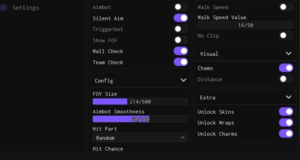
Take your agricultural empire to the next level with SNPWARE Hub for Grow a Garden 2. Built on a clean, responsive WindUI interface, this fully keyless utility features over 30...
Take your agricultural empire to the next level with SNPWARE Hub for Grow a Garden 2. Built on a clean, responsive WindUI interface, this fully keyless utility features over 30 built-in automation options. It streamlines everything from early-game plot maintenance to high-yield economy grinding, removing the need to complete tedious key system verification links.
The hub also includes deep system optimizations, full configuration saving, dual-language support (English/Russian), and background protection layers to ensure a safe, efficient, and completely automated experience.
Key Features & Automated Modules
1. Complete All-In-One Autofarm
Total Plot Automation: Runs a hands-free cultivation cycle that handles crop planting, watering, and harvesting automatically.
Passive Item Magnet: Instantly claims scattered cash drops, map resources, and seasonal event items the exact millisecond they spawn across the world.
Automatic Upgrades: Remotely buys seeds or gear from vendor shops, hatches eggs, and scales your garden plot limits as soon as your funds allow.
2. Advanced Security & Night Steal
Protected Night Raids: Automatically targets and harvests neighboring gardens during the night cycle, utilizing delivery-fail protection mechanics to keep your character from getting stuck.
Anti-Scam Defense Grid: Runs an active background system that automatically suppresses malicious mailbox and gift scams to keep your hard-earned assets secure.
3. Utilities & Server Navigation
Player Physics Sliders: Fine-tune your exploration with custom WalkSpeed overrides and a built-in Anti-AFK engine to prevent 20-minute idle disconnects.
Fast Server Controls: Instantly refresh your sessions using quick rejoin toggles, strategic server-hopping tools, or direct entry via specific JobIds.
Executor Compatibility Matrix
SNPWARE Hub uses a highly optimized API framework built to deliver fluid performance across all major script execution layers:
Mobile Exploits: Fully stable and touch-optimized for mobile systems, specifically Volt, Potassium, Codex, Delta, and Seliware.
PC Injection Suites: Handles multi-instance loading smoothly on Wave, Synapse Z, and OpiumWare.
How to Install and Run the Script
Launch Your Chosen Executor: Open an updated Roblox injector client matching your hardware platform (such as Delta/Volt for mobile, or Wave for PC).
Load Into Grow a Garden 2: Enter an active server and wait for your private field plot and map visual assets to load completely.
Wipe Leftover Buffers: Open your executor's text workspace and clear out old script code to prevent syntax conflicts.
Paste the SNPWARE Loadstring: Copy the official, domain-secured Luau code block provided below and paste it directly into your console textbox.
Execute the Core Engine: Click Execute to inject the hub. Simply tap the floating SNPWARE screen button to toggle your WindUI dashboard and customize your layout tabs.

![[Walky Hub] Grow a Garden 2 Script – Auto Plant, Auto Sell](https://rerangersxscript.com/wp-content/uploads/2026/06/grow-a-garden-2-script.webp)